3. Loading data#
Let’s load some MNIST data from s3.
# Here is our dataset it contains 50 images per class
!aws s3 ls s3://anyscale-public-materials/ray-ai-libraries/mnist/50_per_index/
We will use the read_images function to load the image data.
ds = ray.data.read_images("s3://anyscale-public-materials/ray-ai-libraries/mnist/50_per_index/", include_paths=True)
type(ds)
Ray Data supports a variety of data sources for loading data
-
Reading files from common file formats (e.g. Parquet, CSV, JSON, etc.)
ds = ray.data.read_parquet("s3://...")
- Loading from in-memory data structures (e.g. NumPy, PyTorch, etc.)
ray.data.from_torch(torch_ds)
- Loading from data lakehouses and warehouses such as Snowflake, Iceberg, and Databricks.
ds = ray.data.read_databricks_tables()
Start with an extensive list of supported formats and review further options in our data loading guide.
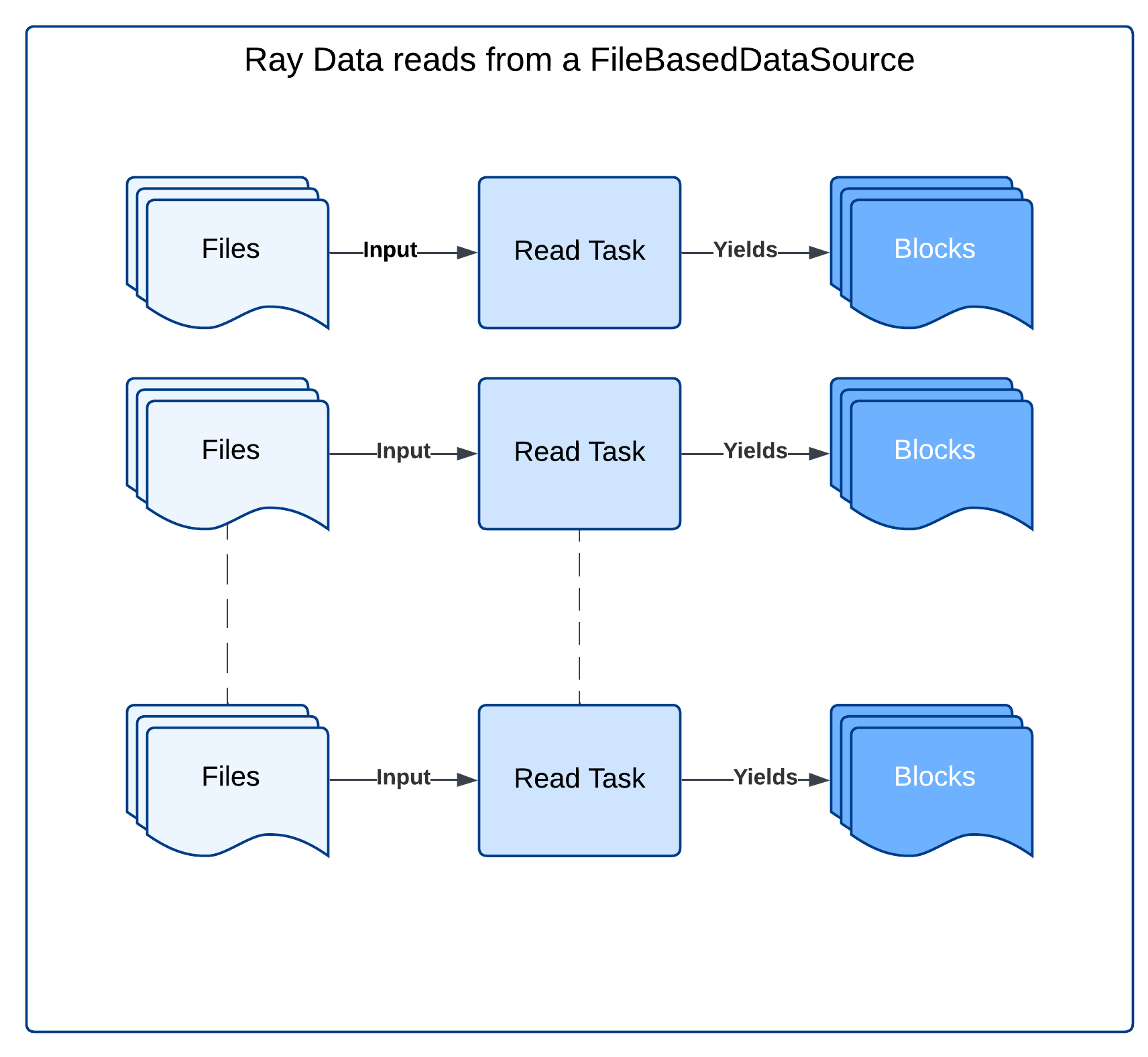
Under the hood, Ray Data uses Ray tasks to read data from remote storage
|
|---|
When reading from a file-based datasource, Ray Data starts with a number of read tasks proportional to the number of CPUs in the cluster. |
Each read task reads its assigned files and produces output blocks. |
2.2 Note on blocks#
|
|---|
A Dataset when materialized is a distributed collection of blocks. This example illustrates a materialized dataset with three blocks, each block holding 1000 rows. |
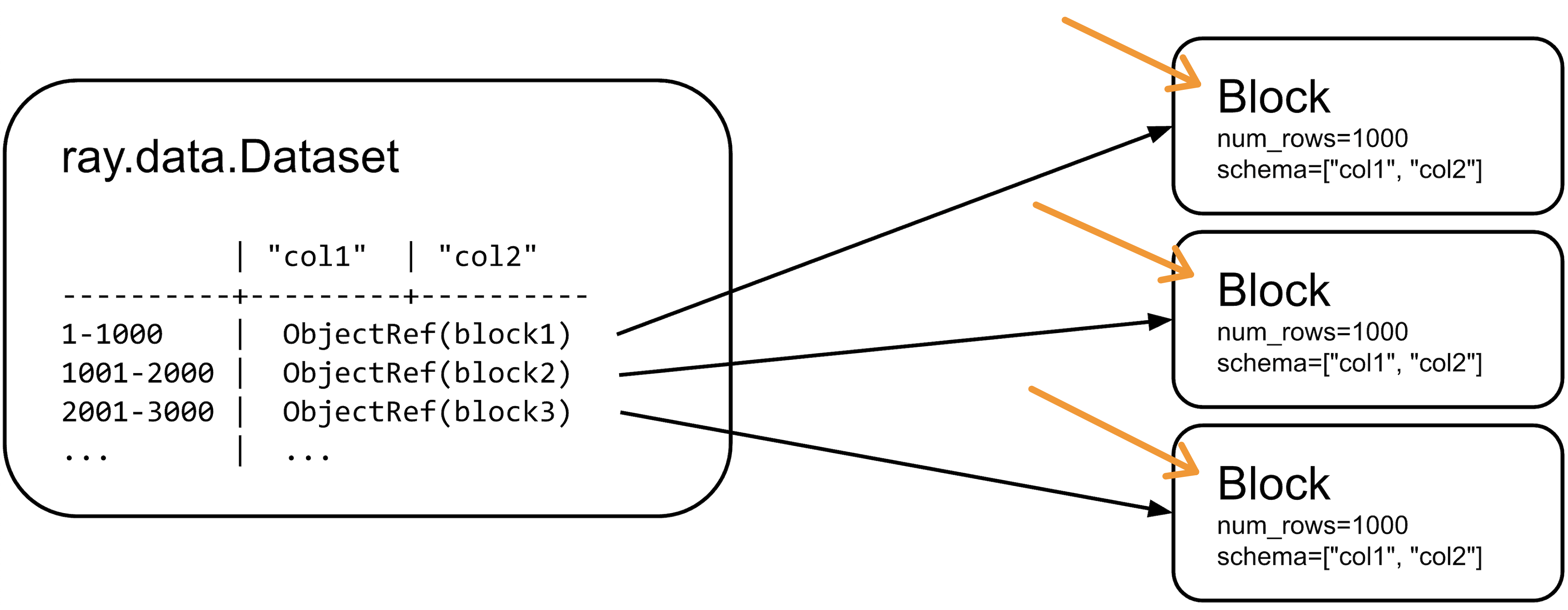
Block is a contiguous subset of rows from a dataset. Blocks are distributed across the cluster and processed independently in parallel. By default blocks are PyArrow tables.